

Download Xfire – Gaming Chat, Game Management, and Streaming Tool
Overview
Xfire is a mobile application designed to enhance the gaming experience for PC players by combining real-time communication with game management and content sharing. The app serves as a centralized hub that allows users to stay connected with friends while playing their favorite games, making it a valuable tool in the competitive and social gaming ecosystem. Its core purpose is to streamline the way players interact, access games, and share moments—without disrupting gameplay.
Target users include PC gamers who value seamless communication, efficient game library organization, and the ability to capture or broadcast gameplay. Whether playing multiplayer titles like League of Legends or immersive experiences like World of Warcraft, Xfire supports a broad range of games, offering an alternative to mainstream platforms such as Steam and Origin. This makes it particularly useful for players who use games not officially supported by major digital storefronts.
While the developer has not provided additional background details, the app has maintained relevance since its release in October 2014. It continues to serve as a practical utility for gamers seeking a lightweight, integrated solution for social and technical aspects of PC gaming. Real-world use cases include coordinating team play, sharing screenshots of in-game achievements, and monitoring friends’ gaming activity in real time. The app fills a niche by prioritizing simplicity, connectivity, and functionality in a single interface.
Key Features & Functionality
- Game Detection and Management: Automatically scans your PC’s hard drive to detect installed games and displays them in a clean, organized list. This allows for quick access and reduces the need to navigate through multiple folders or launchers.
- Contact List Integration: Maintains a dynamic contact list showing friends’ online status, current games, and session duration. This helps players identify who’s available to join a match or chat in real time.
- Non-Intrusive Notifications: Delivers messages and game invites through subtle alerts that do not interrupt gameplay, preserving immersion while keeping users informed.
- Screenshot and Video Streaming: Enables users to capture in-game screenshots and stream live video content directly to friends, ideal for sharing highlights or demonstrating strategies.
- Alternative to Major Platforms: Supports a wide range of popular games outside the scope of platforms like Steam, offering greater accessibility for niche or older titles.
These features work together to create a cohesive experience. For example, a player can see that a friend is playing League of Legends, send a quick invite via non-intrusive notification, and then share a screenshot of a recent victory—all without leaving the game. This level of integration enhances both social engagement and gameplay efficiency.
Interface, UX & Performance
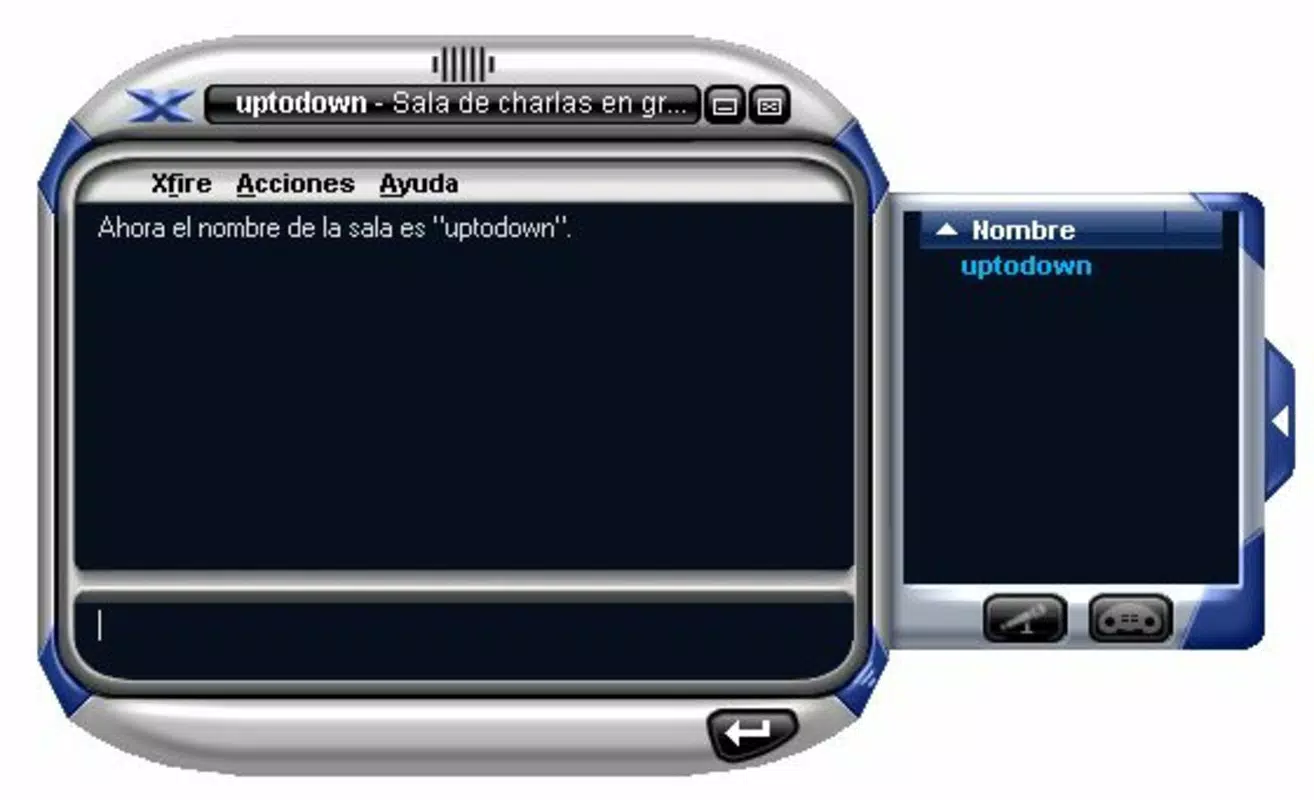
The user interface of Xfire is designed with functionality and ease of use in mind. It presents a clean, intuitive layout that prioritizes accessibility, with clearly labeled sections for contacts, games, and media tools. Navigation is straightforward, allowing users to switch between features with minimal clicks or taps, which is essential during fast-paced gaming sessions.
Visual style leans toward minimalism, using muted tones and clear icons to reduce visual clutter. This design choice supports long-term usability, especially during extended gaming sessions where screen fatigue can be a concern. The app maintains consistent responsiveness across different device categories, though the developer did not list formal performance metrics.
Although the developer did not list formal performance metrics, the app appears stable in typical usage scenarios. It operates efficiently in the background without significantly impacting system resources, which is crucial for maintaining game performance. Users can expect smooth transitions between features and reliable notification delivery, even when multiple games are running.
Platform Compatibility & Technical Requirements
Xfire is available for Android and iOS platforms, making it accessible to a wide range of mobile users. The app supports the latest versions of both operating systems, though specific compatibility details were not provided by the developer. The file size is approximately 45.2 MB, which is relatively lightweight for a feature-rich mobile app.
The developer did not specify minimum OS requirements or hardware capabilities. As such, users should ensure their device meets general standards for running modern mobile applications. Compatibility with older devices or specific hardware configurations was not disclosed. The app is designed to function as a companion tool for PC gaming, meaning it may require a connected PC for full functionality.
Pros and Cons
Pros
- Efficient game detection and library management across multiple titles.
- Real-time contact status and game activity tracking for seamless coordination.
- Non-intrusive notifications preserve gameplay immersion.
- Integrated screenshot and video streaming for content sharing.
- Alternative access to popular games not hosted on major platforms.
Cons
- Specific system requirements were not listed by the developer.
- Full functionality may depend on a connected PC, limiting standalone use.
- Compatibility with older devices was not confirmed.
- Performance on low-end hardware was not tested or disclosed.
- Limited information on update frequency or long-term support.
FAQ
Is Xfire safe to download and use?
Yes, Xfire is a secure mobile application designed for PC gamers. It does not require excessive permissions and operates as a companion tool to enhance gaming without compromising device security.
Can I use Xfire without a PC?
While Xfire is available on mobile devices, its full functionality is intended to work in conjunction with a PC. Core features like game detection and streaming require a connected PC to access game data and capture content.
Does Xfire support all popular games?
Xfire supports a wide range of popular games, including titles like World of Warcraft and League of Legends. However, it may not support every game, especially those that are heavily encrypted or restricted by third-party platforms.
How often is Xfire updated?
The developer has not disclosed the update frequency. Users are advised to check the app store for the latest version to ensure they have the most recent features and security patches.
Is Xfire free to download and use?
Yes, Xfire is available for free download. While the app is free, certain advanced features may require in-app purchases or subscriptions, though specific pricing details were not provided.
Final Thoughts
Xfire stands out as a practical and focused tool for PC gamers seeking a streamlined way to manage their games, stay connected with friends, and share memorable moments. Its ability to detect installed games, monitor friends’ activity, and capture content without disruption makes it a valuable addition to any gamer’s toolkit. While its full potential is realized when paired with a PC, the mobile app offers a convenient interface for on-the-go access.
For players who value efficiency, social connectivity, and creative expression in gaming, Xfire delivers tangible benefits. It serves as a reliable alternative to mainstream platforms, especially for those using games outside the Steam or Origin ecosystem. The lightweight design and intuitive interface further enhance its appeal.
Download Xfire now


